devices commonly use a USB C socket
USB has always aspired to be universal. While it has come close to that goal, it has never fully achieved it. Prior to USB, there were an array of different connectors and cables used by devices like printers, digital cameras, external hard drives, and computer peripherals. These included the standard USB Type A, USB Mini B, and Apple Desktop Bus (ADB). USB-C is quickly replacing these older iterations of connectivity as well as other more specialized connectors like HDMI and VGA.
The reversible USB C port has a slim and light appearance and offers data transmission and power delivery at up to 10 Gbps. It also has the capability to support video at up to 8K resolutions with 10-bit color. This makes it a good replacement for other high-end displays that would require a dedicated connection with a separate cable or adapter. USB-C can also power more advanced devices, such as tablets and laptops, and provide a charging solution for mobile device batteries.
Most modern computers have a usb c socket port for charging and data transfer. This includes both traditional desktops and thinner laptops. The USB-C ports on these machines can also connect to wired Ethernet networks through appropriate adapters. This is especially useful on thin notebooks, where it can save space over having a traditional Ethernet port and help reduce the weight of the device.
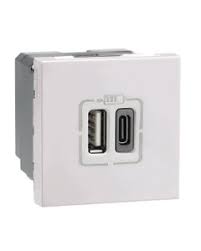
What devices commonly use a USB C socket?
Tablets and smartphones are another significant area of growth for USB-C. Almost all modern Android and iOS devices feature USB-C ports for charging and data transfer, excluding the iPhone. Most of these ports also have video output capabilities which can be used for high-resolution interactive visual displays.
A USB-C port can support both USB 3.1 and Thunderbolt 3. Both these standards offer high speeds of up to 40 gigabits per second. However, not all USB-C devices will work with the fastest cables and adapters. They might be able to use a lower speed or they might not even be able to connect at all. That’s because a USB-C cable must include an identification chip at both ends called an E-Marker that signals the hardware the cable supports.
In addition, any cable that offers USB PD must support the specific features of that protocol. These include USB signalling protocol (2.0, 3.1 or higher), available VBUS current, RX/TX directionality, latency, and SOP controller mode.
The USB-C socket, also known as USB Type-C, represents a significant advancement in the realm of connectivity, offering a universal and efficient solution for data transfer, power delivery, and more. Introduced in 2014, USB-C has quickly gained traction as the standard connector for a wide range of devices, including smartphones, laptops, tablets, and peripherals. This article explores the features, advantages, and future of the USB-C socket.
Generally, any device that has a Micro USB or USB-A port could ultimately get a USB-C version. This includes speakers, wireless keyboards and mice, smart home devices, the Nintendo Switch, and other popular electronics that either already have or will soon offer USB-C ports for both power and data. USB-C will eventually be the universal port for many electronic devices.